
MCP with Le Chat from Mistral
Le Chat (French for “the cat”) from Mistral is compatible with MCP and works on the free tier, as well as on Android and iOS devices.

Before, we talked about connecting MCP servers to Claude and ChatGPT. However, at the time of this writing, you need a paid plan for those to connect to a custom MCP server. Free plan users are out of luck there.

But not totally! You can still play if you’re cool with Le Chat, the intelligent chatbot from Mistral, a big French AI lab. Under the hood, it’s powered by Mistral, which is super capable, speaks many languages, and shouldn’t be underestimated. Just like Claude and other chat apps, Le Chat comes with some standard tools like web search, a code interpreter, deep research, and more.
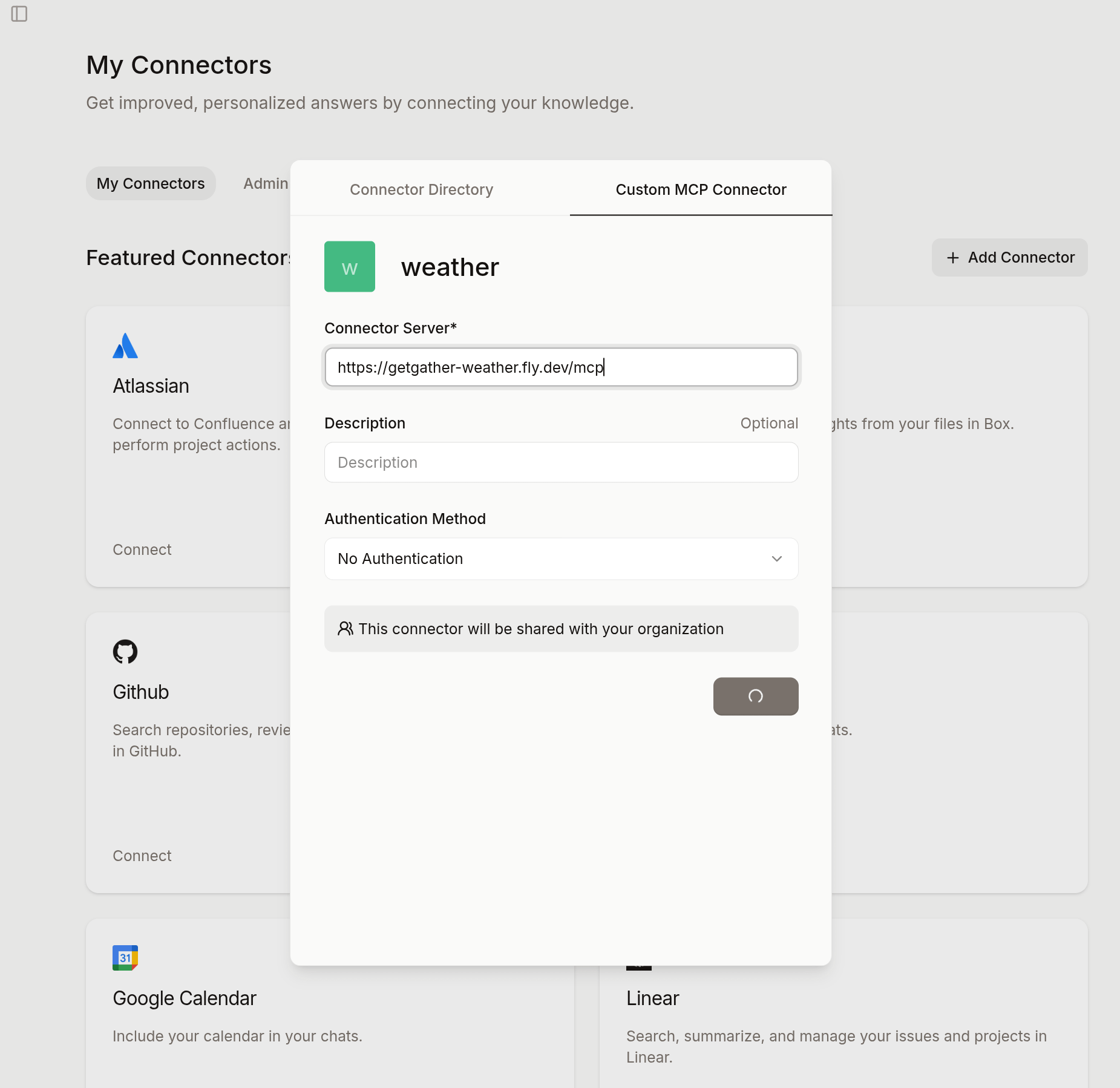
If you’ve built your own tool and want Le Chat to use it, apparently it’s pretty easy to set up. Just open the sidebar, pick “Intelligence,” then “Connectors.” Hit “Add Connector” and choose the “Custom MCP Connector” tab.
For example, let’s add a simple weather MCP server, just like we did for ChatGPT. In the pop-up, name your connector (e.g., “weather”) and use https://getgather-weather.fly.dev/mcp as the connector server. Then, just hit “Connect.”
Once that’s done, you can start chatting with your new tool. From the main Le Chat screen, click “Tools” and make sure the “weather” tool is checked. Now, if you ask Le Chat about weather conditions or alerts in a certain place, it’ll try to use your tool, but it’ll ask for your permission first.
BTW you can also use the Mistral app on your phone, and it will function identically. All custom connectors, including the MCP tools, will be readily available for your use.
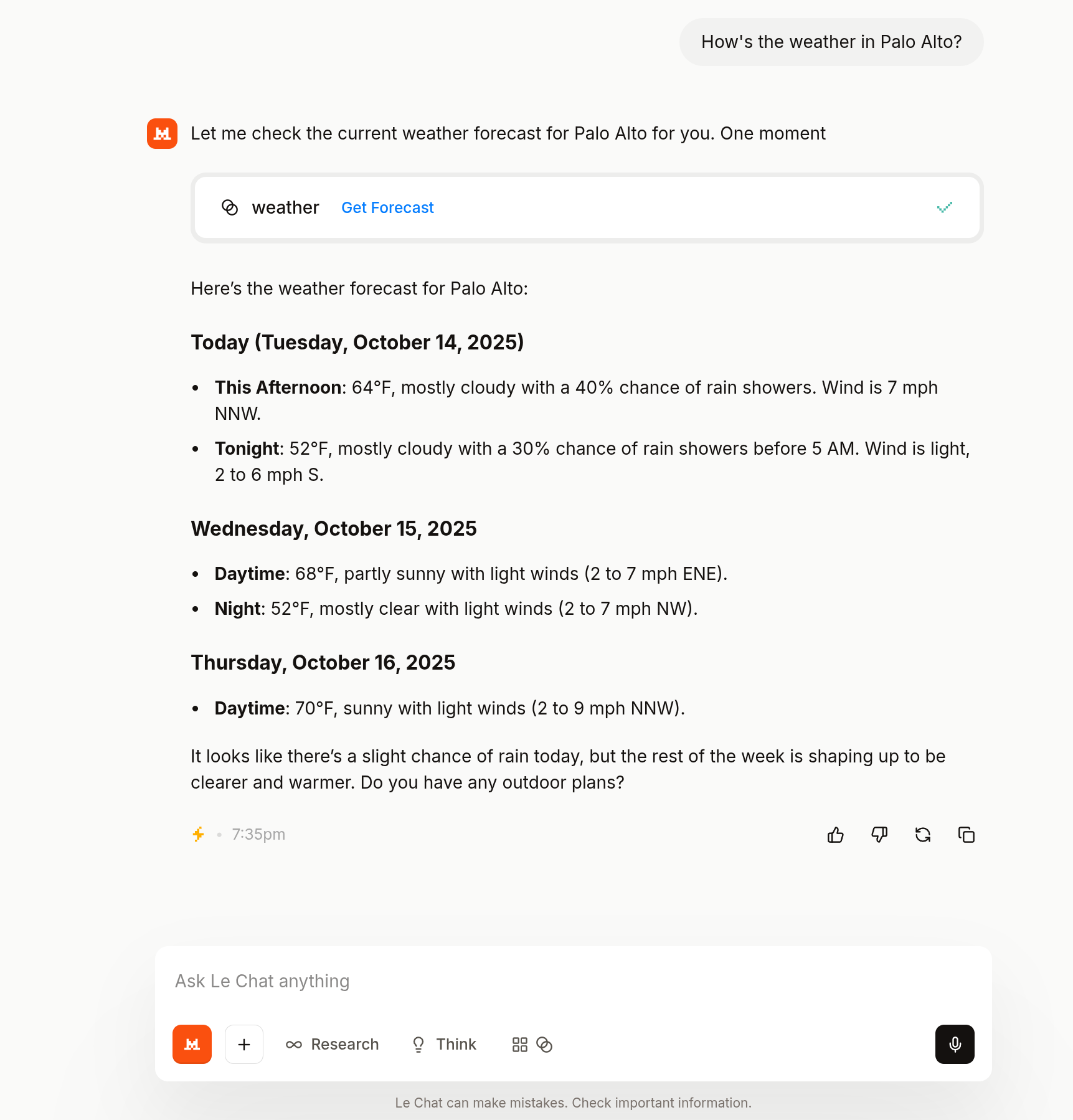
This Weather MCP server isn’t super fancy, it’s really just a starting point. Le Chat is actually happy to search the internet for any weather requests. But, it really opens up the door for connecting your own custom MCP tools, letting you customize Le Chat to suit your precise need.
For a more in-depth example, check out the open-source project, MCP GetGather (and watch the launch video). It’s super easy to run with Docker or Podman, deploys in minutes, and helps you pull your personal data from tons of online services, from Amazon to Doordash, BBC to Kindle, and so many more.
One last thing: having an unauthenticated MCP server can be a real headache. Luckily, the latest MCP spec covers authentication, and that’s something we’ll dive into at some point. Stay tuned!